Campaign Collections
In this article, we'll cover:
- How to create a Campaign Collection
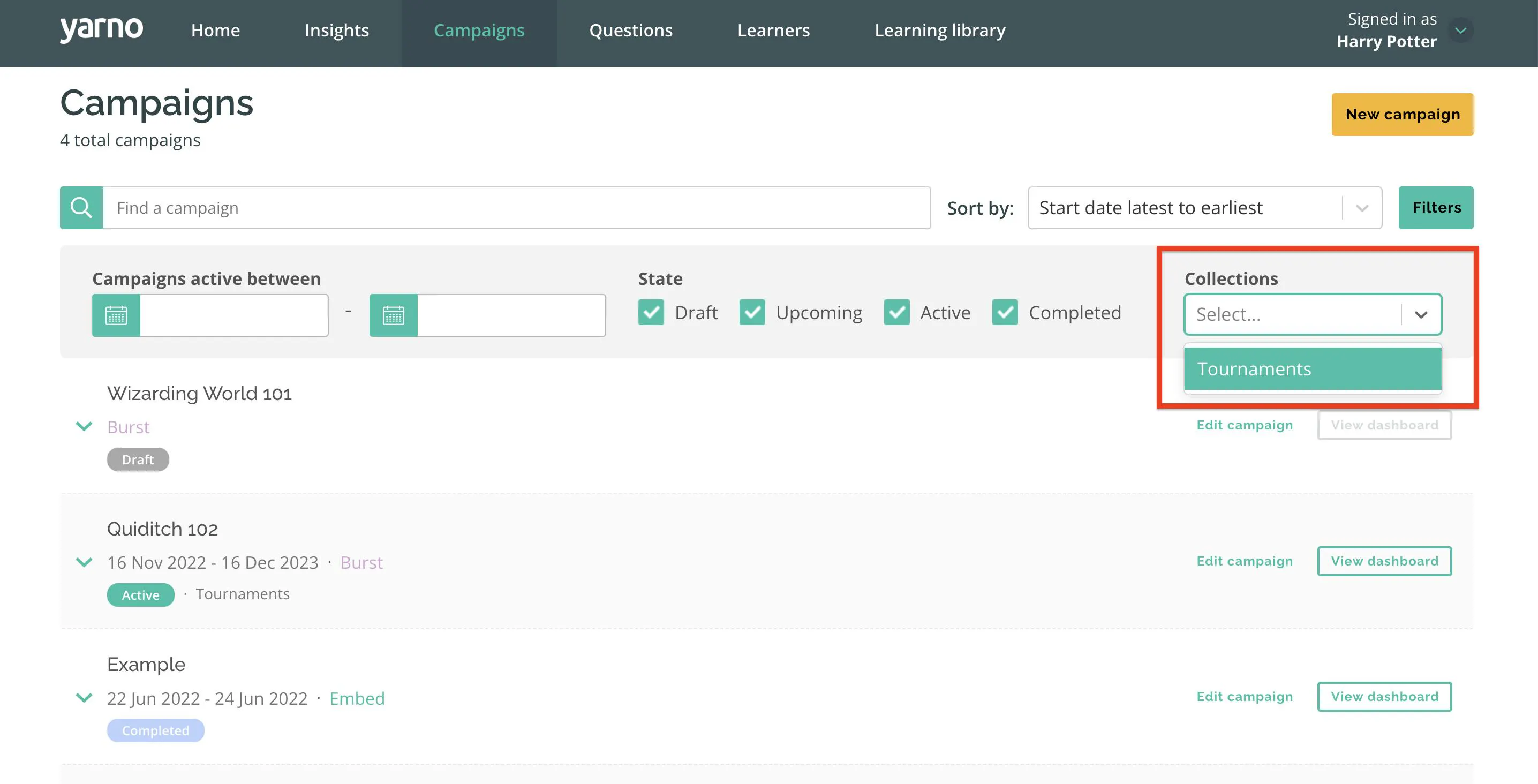
- How to search for a Campaign Collection
Campaign Collections allow admins to tag individual campaigns make them searchable within the Campaigns tab in Yarno.
How to create or add to an existing Campaign Collection
- Sign into Yarno, and use the menu in the top right to Enter Admin
- Go to the Campaigns page
- Select create new campaign
- Choose between an embed or a burst campaign
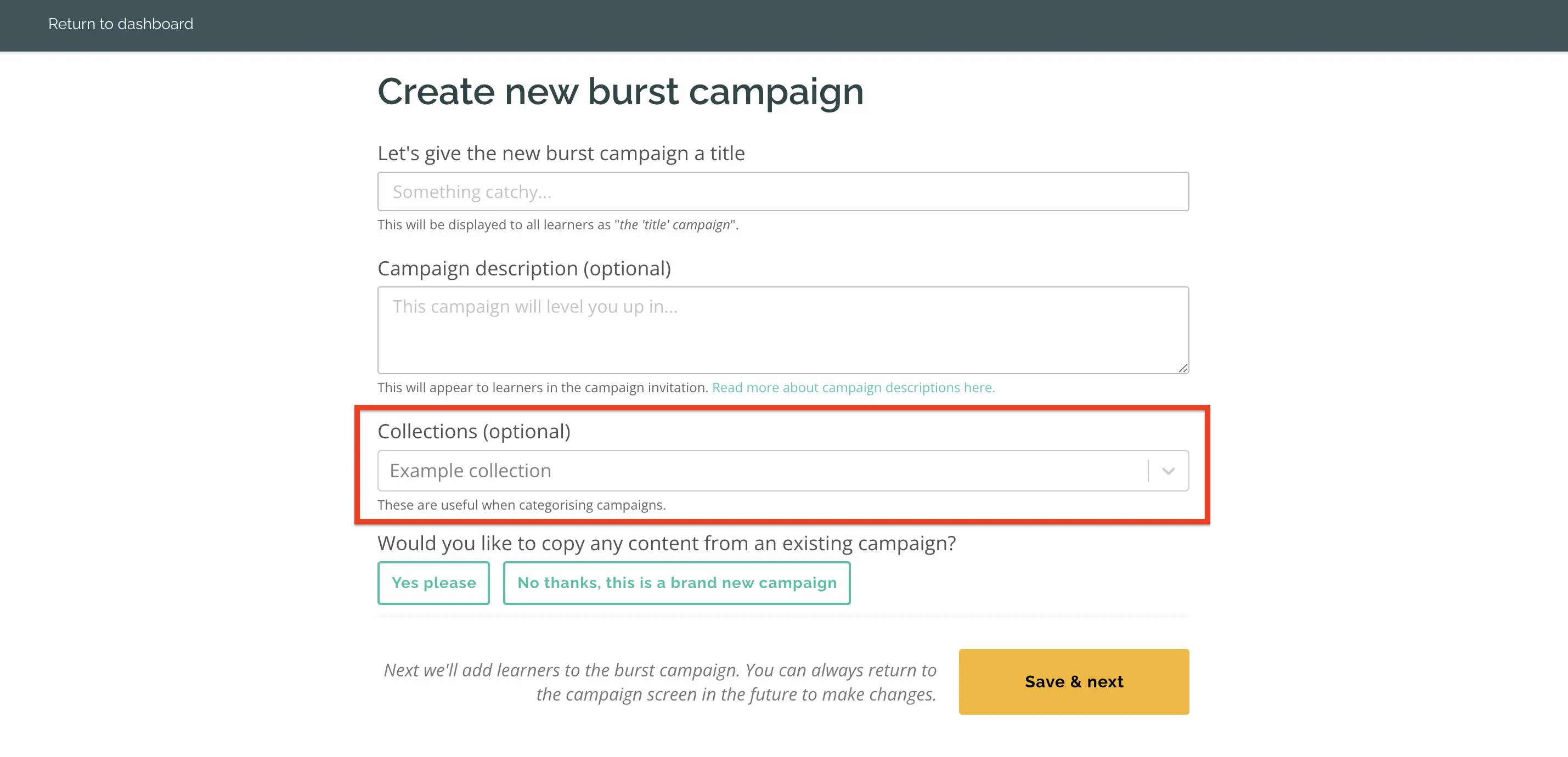
- In the Collections (optional) field, use the dropdown to select from existing Campaign Collections, or enter text to create a new Collection
How to search for a Campaign Collection
- Sign into Yarno, and use the menu in the top right to Enter Admin
- Go to the Campaigns page
- Select filter
- Click collections and select one of your Campaign Collections